Guides
How to Prepare Your Logo for Laser Engraving: File Types, Resolution, and Materials
Oct
Want your logo on a keychain, a badge, or a coaster? Good news: most logos can be laser engraved. But the file you send makes a big difference. A clean file gives a sharp, clear result. A small, blurry file can give soft edges or lost details.
We are Custom Mammoth, a small laser engraving shop. In this guide, we explain how to prepare your logo for laser engraving in simple steps: which file types work best, why resolution matters, vector vs raster, thin lines and small text, and how your logo will look on metal, leatherette, and slate.
First, the Short Version
- Any file format works. You can send what you have. But quality and resolution matter.
- Vector files are best. SVG, PDF, AI, or EPS usually give the cleanest result.
- Raster files are OK if they are big and sharp. A large PNG or JPG can work well.
- Keep it simple. Engraving is one color, so bold shapes and clear text work best.
- We always send a design proof. You see the layout and approve it before we start engraving.
Which File Types Work Best for Laser Engraving?
There are two main kinds of image files: vector and raster.
Vector Files (Best Choice)
A vector file is made of lines and shapes, not pixels. You can make it bigger or smaller and the edges stay sharp. Common vector file types are:
- SVG
- PDF (if it was saved from a design program, not a scan)
- AI (Adobe Illustrator)
- EPS
If a designer made your logo, ask them for a vector version. Many businesses already have one and just don’t know it.
Raster Files (Can Work Well)
A raster file is made of pixels. Common types are PNG and JPG. Raster files can engrave well when they are large and sharp. They can look rough when they are small, because the pixels become visible when we size them up.
A good tip: a PNG with a transparent or plain white background is usually easier to work with than a JPG with a busy background.
Why Resolution Matters
Resolution is how much detail is in a raster image. A logo that looks fine on your phone can still be too small for engraving. For example, a tiny logo saved from a website or a social media profile often has blurry edges when it is printed or engraved.
Simple rules for raster files:
- Send the largest version you have.
- Do not send a screenshot if you can find the original file.
- Avoid images that were copied from social media or messages, because these are often compressed.
- If you zoom in and the edges look fuzzy or blocky, the engraving may look soft too.
Vector vs Raster: What Is the Real Difference on the Product?
With a vector file, the laser can follow clean outlines, so edges and text usually come out crisp. With a raster file, the result depends on the quality of the image. A big, sharp PNG can look almost the same as a vector. A small, blurry JPG can lose detail.
If your file is not ideal, don’t worry. Send it anyway. We will tell you if the file needs work.
Thin Lines and Small Text
Many products are small. A keychain or a name badge has much less space than a business card or a website. Details that look great on a big screen can be hard to see when the logo is only one or two inches wide.
- Very thin lines can look weak or break up, especially on textured materials like slate.
- Very small text (like a slogan under the logo) can become hard to read.
- Tiny details close together can blend into one shape.
Tip: if your logo has a long tagline, think about using a simple version of the logo without it on small items. Many brands have a short version or an icon version just for this.
One Color and Contrast
Laser engraving does not add ink. It marks the surface of the material. That means your logo becomes one color: the color the material turns when it is engraved.
- Gradients and shadows usually do not translate well. Flat, solid shapes work best.
- Multi-color logos need to be turned into one color. We decide which parts are engraved and which are left blank.
- Logos with a white version and a dark version are helpful. Send both if you have them.
Your design proof shows how the one-color version will look, so you can check it before we start.
How Your Logo Looks on Different Materials
Metal
For metal, we use a professional laser. Metal is great for logos because it can hold fine detail and clean edges. The engraving usually looks dark or bright against the metal, depending on the item and settings. Metal is a good choice when your logo has small details.
Leatherette
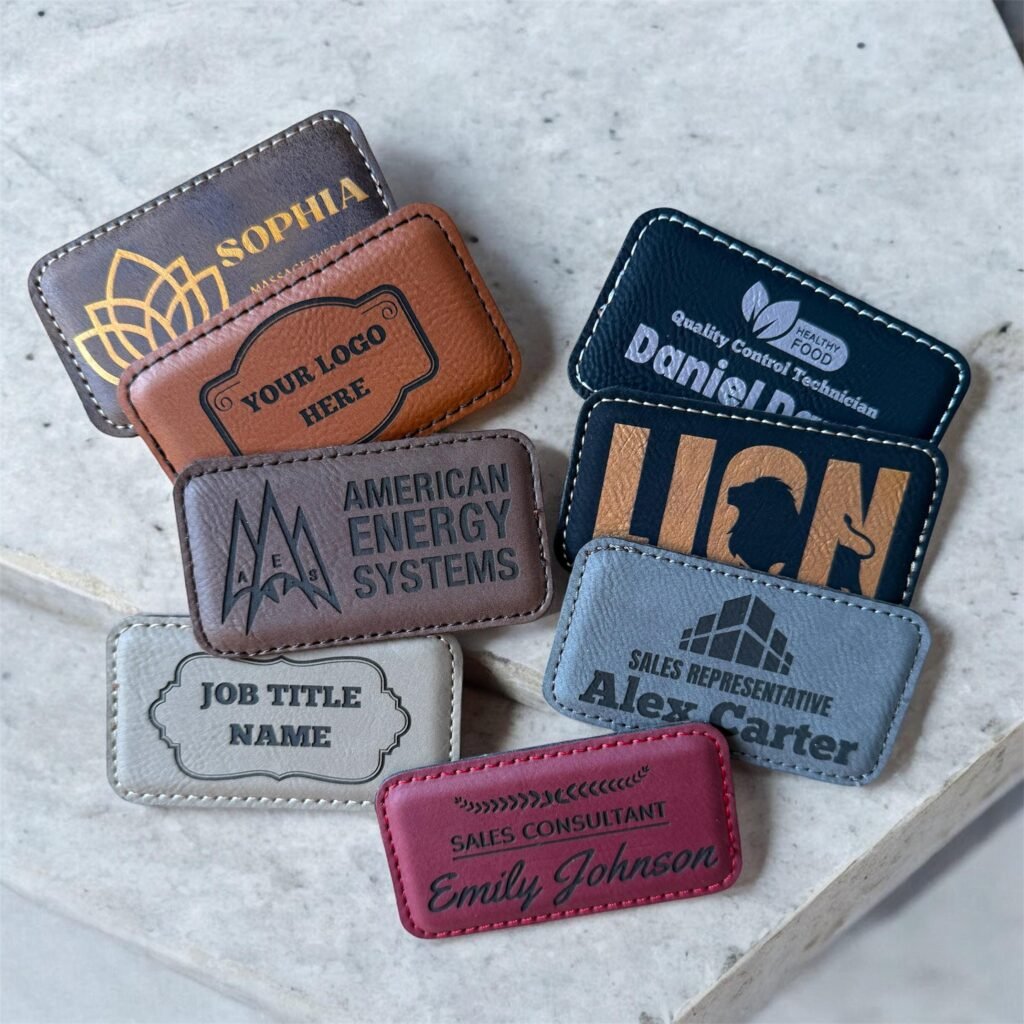
Leatherette engraves with a clear contrast between the top color and the color underneath. Bold logos and clear text look very good on leatherette. Very fine details can be softer than on metal, so simpler logos usually work best here.
Slate
Slate is natural stone, so the surface has texture. Engraving on slate usually looks light against the dark stone, which gives strong contrast. Bold shapes and larger text work best. Very thin lines can look uneven because of the natural surface.
Products That Work Well for Logos
Here are a few of our products that customers often use for logos:
- Round Leatherette and Metal Keychain with Custom Name or Logo – $5.95 (leatherette side) or $6.95 (metal side). The metal side is great for logos with detail.
- Engraved Name Tag Badge with Magnet for Staff – $9.95. Add your logo and each person’s name.
- Engraved Leatherette Coasters in Bulk – from $5.95. A nice way to show your logo at events or in an office.
- Engraved Slate Coasters – from $4.95. Bold logos look strong on dark stone.
- Personalized Stainless Steel Star Keychain – $12.95. A metal option for a small logo or a name.
What We Do With Your File
- You send your logo. Any file format works. Email it to customammoth@gmail.com or add it to your order.
- We check it. We look at size, resolution, thin lines, and small text. We can usually clean up simple logos. We will tell you if the file needs work.
- We send a design proof. You see your logo on the product before we engrave.
- You approve. We engrave only after you say yes.
Timing: small orders can often ship the same day if the proof is approved early; larger orders usually ship in 3–5 business days after approval.
Ready to Engrave Your Logo?
Find your best logo file, send the biggest and cleanest version you have, and we will take it from there. Have questions about your file? Email us at customammoth@gmail.com.
– Mammoth Team
FAQ
What is the best file type for laser engraving a logo?
Vector files like SVG, PDF, AI, or EPS usually give the cleanest result. Large, sharp PNG or JPG files can also work well. Any file format works, but quality and resolution matter.
Can I send a JPG or a screenshot of my logo?
Yes, you can. But a screenshot or a small JPG may give soft edges. Please send the largest, original version you have. We will tell you if the file needs work.
Can you engrave a logo with many colors?
Yes, but engraving is one color. We turn your logo into a one-color version, and you see it in the design proof before we engrave.
Will I see my design before you engrave it?
Yes. We always send a design proof for approval before engraving. We start only after you approve it.
Which material is best for a detailed logo?
Metal usually holds fine detail best. We engrave metal with a professional laser. Leatherette and slate work best with bolder logos and larger text.
